Paying your invoice on SMKCloud.Tech is quick and easy. Just follow these steps to make your payment and keep your services running without any interruptions.
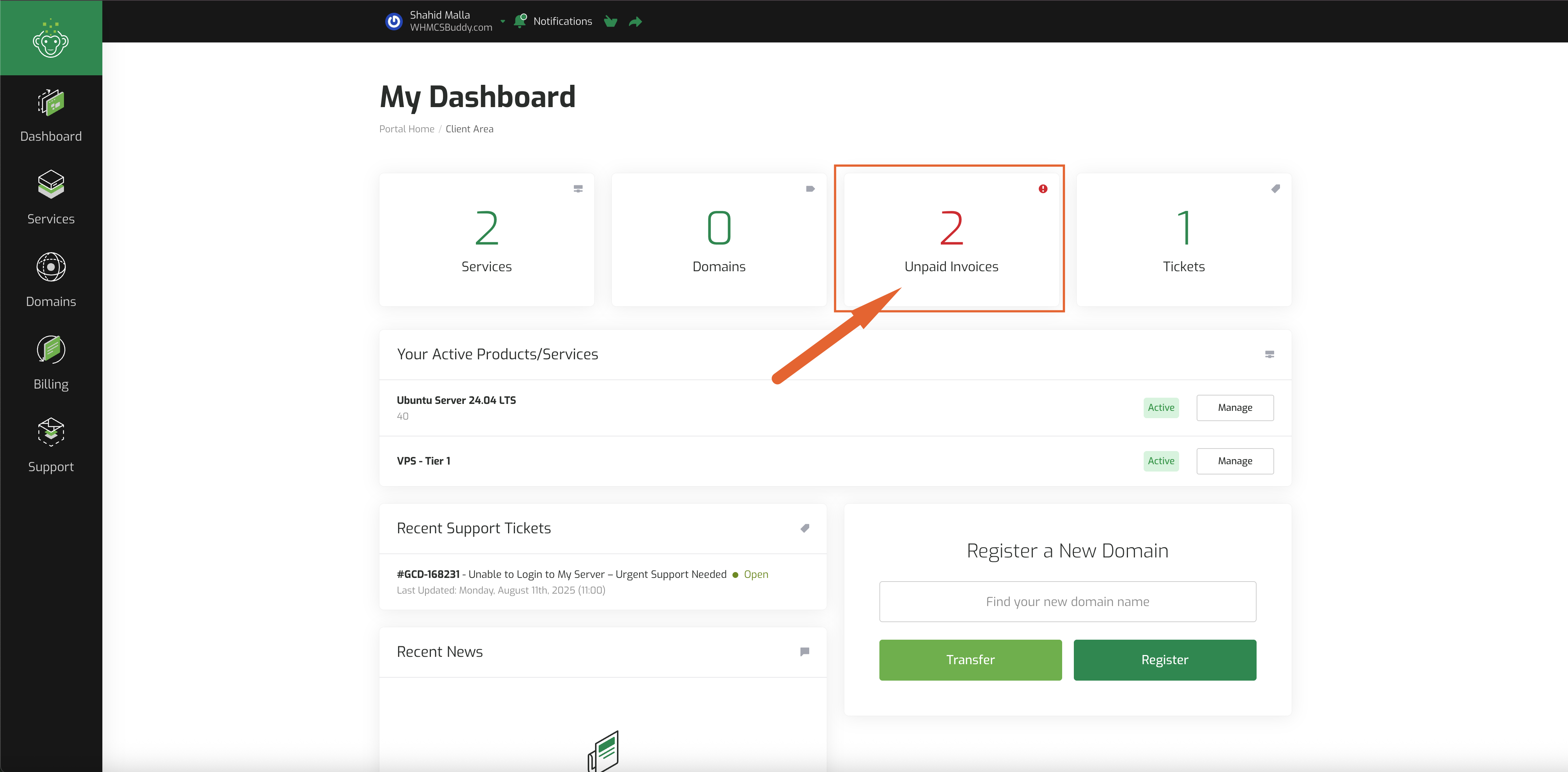
Step 1: Go to the Invoices Page
Log in to your account and click on the Invoices button. This will open the page where you can view and manage all your invoices.
Step 2: Find Your Unpaid Invoice
On the Invoices page, look for the section called Unpaid Invoices. Here, you will see a list of all invoices that are due. Click on the invoice you want to pay.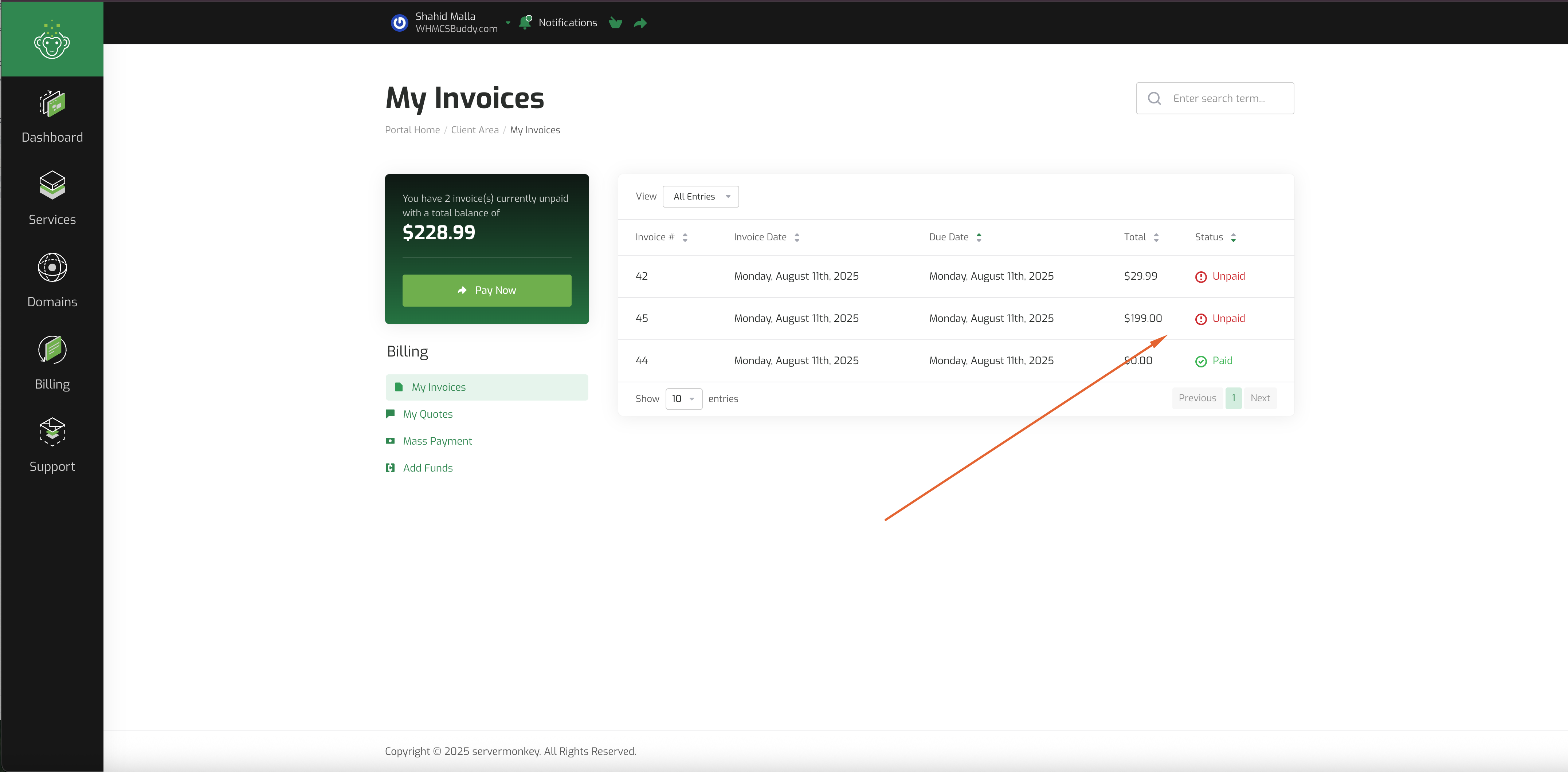
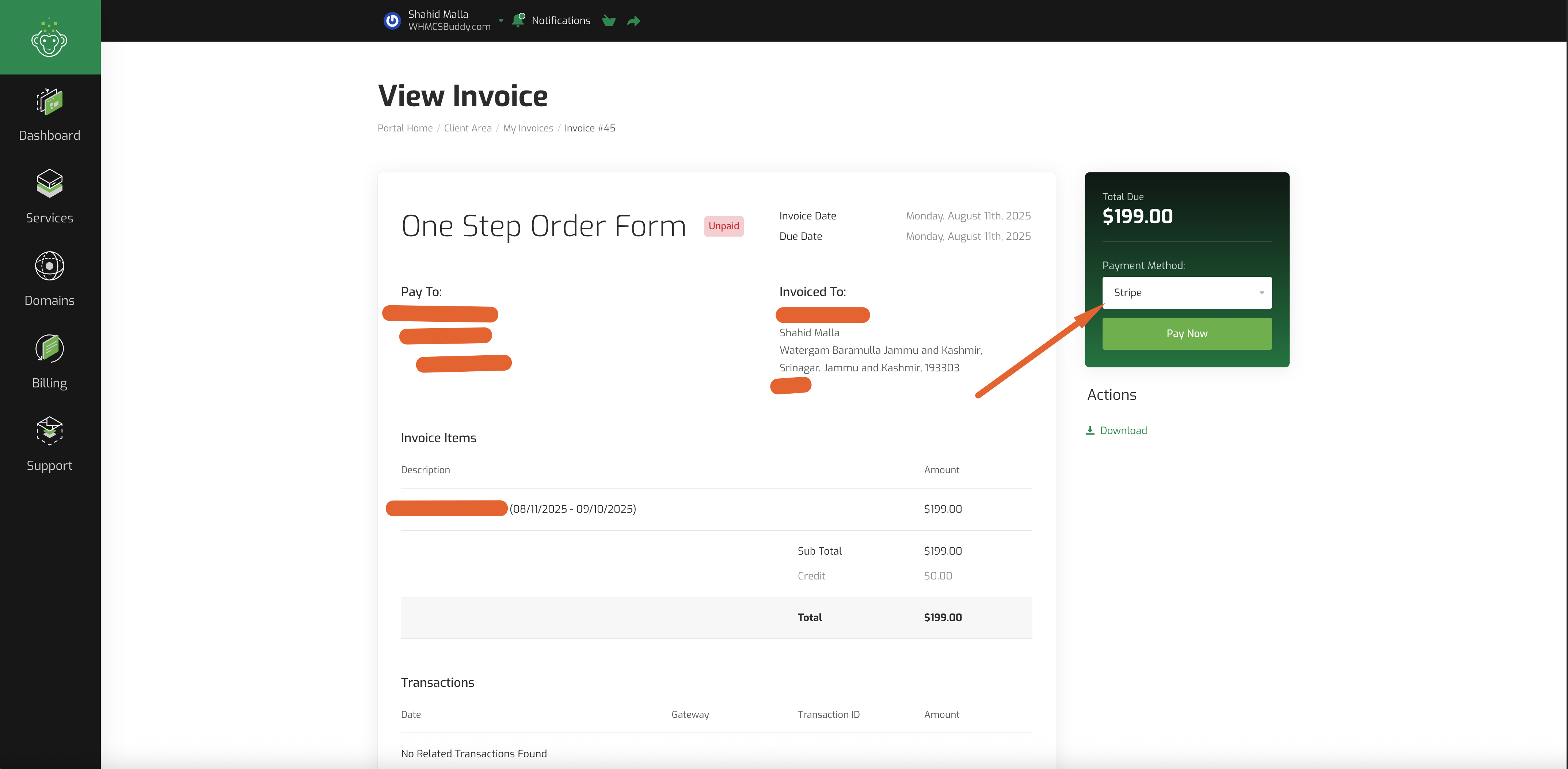
Step 3: Choose a Payment Method
After opening the invoice, you will see different payment options. Select the payment method you prefer and click the Checkout button.
Step 4: Confirm Your Payment
Once your payment is completed, you will see a confirmation message that your invoice has been paid successfully.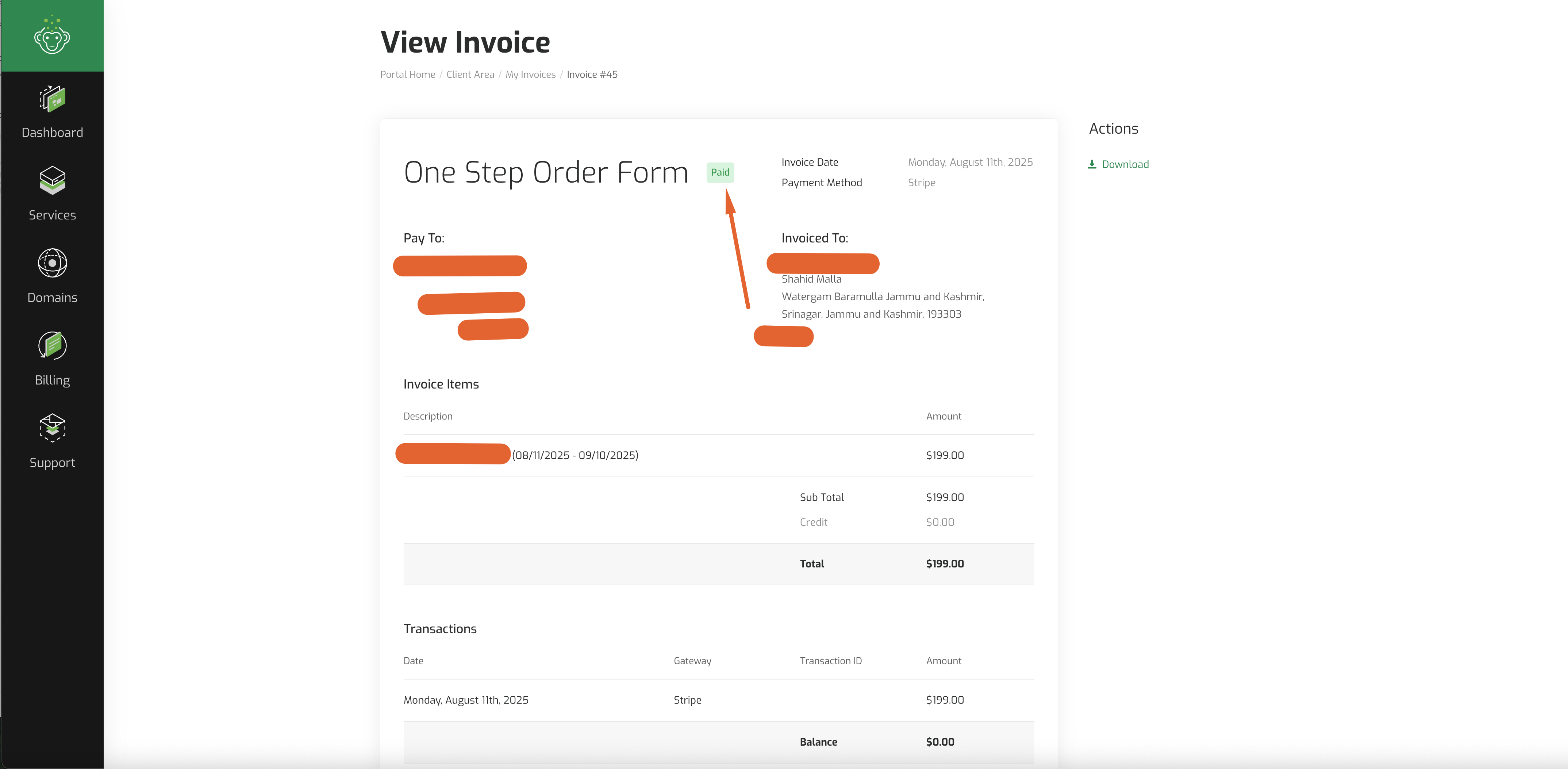
Conclusion
That’s it! By following these steps, you can pay your invoice in just a few minutes. Your services will remain active without any break. If you face any problem or need help, contact SMKCloud.Tech support.